Category: Blogs

  • What’s New in n8n 2.0? – Technical Deep Dive

    What’s New in n8n 2.0? – Technical Deep Dive

    n8n 2.0 marks a major evolution in workflow automation, bringing performance, scalability, and developer-centric improvements. Hiren8nDevelopersThis release focuses heavily on enterprise readiness, cleaner architecture, and better control for developers building complex automations.

    Whether you’re an automation engineer, backend developer, or DevOps professional, n8n 2.0 introduces meaningful changes that directly impact how workflows are built, deployed, and maintained.

    Major Architecture Improvements in n8n 2.0

    One of the biggest updates in n8n 2.0 is the refined internal architecture. The platform now handles large-scale workflows more efficiently with optimized execution logic.

    Key Technical Enhancements:

    • Improved execution engine for faster workflow runs
    • Better memory handling for high-volume automations
    • Reduced latency when triggering workflows via webhooks
    • Improved queue processing for parallel executions

    These changes make n8n 2.0 more suitable for enterprise-grade automation systems.

    Enhanced Node System & Integrations

    n8n 2.0 expands node capabilities, allowing developers to create more modular and reusable automation logic.

    Node-Level Improvements:

    • Cleaner node configuration UI
    • Enhanced error handling at node level
    • Improved retry logic and failure paths
    • Better credential isolation per workflow

    Developers can now design workflows that are easier to debug, scale, and maintain.

    Security & Credential Management Upgrades

    Security is a core focus in n8n 2.0, especially for teams working with sensitive APIs and enterprise data.

    Security Enhancements Include:

    • Improved encryption for stored credentials
    • Better role-based access control (RBAC)
    • Environment-based credential separation
    • More secure webhook execution handling

    These improvements make n8n 2.0 ideal for regulated and production environments.

    UI & Developer Experience Improvements

    The user interface in n8n 2.0 is cleaner, faster, and more developer-friendly.

    UX & DX Enhancements:

    • Faster workflow canvas rendering
    • Improved node search and categorization
    • Cleaner execution logs and error traces
    • Better visibility into workflow execution paths

    Developers can debug issues faster and build workflows with greater confidence.

    Advanced Workflow Logic & Control

    **n8n 2.0** provides greater flexibility when designing complex automation logic.

    New Workflow Capabilities:

    • Enhanced conditional branching
    • Improved looping and iteration logic
    • Better handling of large datasets
    • Advanced webhook and trigger controls

    This allows n8n 2.0 to handle real-world automation use cases like SaaS orchestration, ETL pipelines, and microservice integrations.

    Deployment & Scaling Improvements

    For DevOps and infrastructure teams, **Hiren8nDevelopers** offers smoother deployment options.

    Deployment Enhancements:

    • Improved Docker support
    • Better environment variable handling
    • More stable cloud and self-hosted setups
    • Enhanced queue-mode scalability

    These updates make n8n 2.0 more reliable in production-grade environments.

    Why Developers Should Upgrade to n8n 2.0

    If you’re building automation-heavy systems, n8n 2.0 provides:

    • Higher performance
    • Better security
    • Improved maintainability
    • Enhanced developer experience

    It’s a future-ready platform for workflow automation.
  • Why n8n is the Ultimate Choice for Automation and MVPs

    Why n8n is the Ultimate Choice for Automation and MVPs

    If you’ve spent any time in the startup world lately, you know the “speed vs. stability” trade-off is real. n8n When you’re trying to launch a Minimum Viable Product (MVP), every hour spent writing boilerplate code for an API integration is an hour you aren’t talking to customers. But here’s the kicker: if you rely too much on “no-code” tools to save time, you eventually hit a wall where the tool just won’t do what you need.

    This is exactly why n8n automation has become the go-to for technical founders. It doesn’t treat you like a beginner. It treats you like an engineer who wants to move fast. Hire n8n developers If you’re looking to build something that actually scales, you don’t just need a tool; you need a strategy—and often, you need to who know how to wire these systems together for the long haul.

    The “Fair-Code” Advantage: Visual Logic, No Limits

    The problem with most automation platforms is that they are “black boxes.” You put data in, something happens in the middle, and data comes out. But what happens when you need to perform a complex data transformation that isn’t in a dropdown menu? In most apps, you’re stuck.

    n8n uses a “fair-code” philosophy.1 It’s node-based, so you can see your workflow automation visually—which is great for debugging and mental mapping.2 But the “secret sauce” is that every node allows you to peek under the hood. Need to write a custom JavaScript snippet to parse a messy JSON response? Just open a Code Node. Want to run a Python script to handle some data science logic? Go for it. It bridges the gap between the simplicity of no-code and the raw power of a custom backend.

    Why n8n is an MVP’s Best Friend

    When you are in the MVP development phase, you have two major enemies: burning through your cash and taking too long to ship.

    1. Killing the “Success Tax”

    Most cloud automation tools use a “per-task” pricing model. This is essentially a tax on your growth. If your product goes viral and you trigger 100,000 workflows, your bill could jump from $\$20$ to $\$2,000$ overnight. By choosing self-hosted automation, you run n8n on your own infrastructure (like a simple Digital Ocean droplet or AWS instance).3 Your cost is flat. Whether you run ten tasks or ten million, the price doesn’t change. This predictability is vital for a lean startup.

    2. The Instant Low-Code Backend

    Building a traditional backend with Express or Django takes time. You have to set up servers, manage routes, and handle auth. For many MVPs, n8n can be your backend. It can receive webhooks from your frontend, talk to your database (Postgres, Supabase, Airtable), and send out transactional emails. It essentially functions as a low-code backend that you can modify in real-time without a full redeploy.

    3. AI is No Longer an Add-on

    In 2026, if your MVP doesn’t have an AI component, you’re already behind. n8n has arguably the best AI orchestration nodes on the market. Using LangChain, you can build autonomous agents that don’t just follow a path, but actually “think” and make decisions based on your data. This isn’t just simple chatbot stuff; it’s deep workflow automation that can transform how your business operates.

    Scaling: Why Architecture Matters

    I’ve seen plenty of founders try to build these workflows themselves, only to end up with “spaghetti logic” that breaks the moment a user enters an unexpected string. This is the point where smart teams decide to Hire n8n developers.

    A pro doesn’t just drag nodes; they architect for failure. They build “Error Trigger” flows that catch timeouts. They use global variables to make sure your API keys aren’t hardcoded. They ensure that your n8n instance is Dockerized and backed up. Essentially, they turn a “cool tool” into a production-grade infrastructure.

    The Solve: One Side Image, One Side Code

    Visualizing n8n is easy if you think of it as a split brain. On the “Image” side, you have a beautiful, clean canvas where nodes represent your business logic—”Customer Pays,” “Update CRM,” “Send Welcome Email.” On the “Solve” side, you have the raw technical reality: JSON objects, API headers, and custom scripts that ensure the data is perfect. This duality is what makes it the best platform for building modern software.

    Final Thoughts

    Stop wasting time reinventing the wheel. If you’re building an MVP, you need to focus on your unique value proposition, not on how to sync a Google Sheet with a Discord bot. Use n8n automation to handle the heavy lifting of your integrations. It’s faster, it’s cheaper, and it gives you the professional control that no-code tools simply can’t match.

  • Why Tech Teams Prefer to Hire N8N Developers Over Zapier or Make Specialists

    Why Tech Teams Prefer to Hire N8N Developers Over Zapier or Make Specialists

    Businesses today depend on automation to run faster, reduce manual work, and connect multiple tools without friction. While platforms like Zapier and Make.com have dominated the market in the past, tech teams are increasingly choosing to Hire N8N Developers for deeper control, flexibility, and cost efficiency.

    N8N has established itself as a powerful open-source automation platform, offering features that suit companies with growing automation demands. Here’s why N8N developers are becoming the preferred choice over Zapier and Make specialists.

    1. Full Customization and Unlimited Flexibility

    Zapier and Make are easy, but they have restrictions on advanced logic, branching, and backend-like operations. N8N, however, is completely flexible—allowing developers to create workflows exactly the way the business needs.

    An N8N developer can write JavaScript anywhere inside the workflow, build custom nodes, and even integrate private APIs seamlessly.

    Example: A Simple N8N Code Node Snippet

    // Example: Transforming incoming data in N8N

    const user = {

    name: $json.name,

    email: $json.email,

    status: “active”,

    };

    return [{ json: user }];

    This level of coding control is just not possible inside Zapier or Make.

    2. Cost Efficiency—No More Paying per Task or Operation

    Zapier and Make charge based on:

    • Number of tasks
    • Number of operations
    • Workflow complexity

    This becomes extremely costly for fast-growing teams.

    N8N is self-hostable and free, and companies only pay for:

    • Hosting
    • Developer time

    Tech teams prefer to Hire N8N Developers because this approach dramatically reduces automation costs as the business scales.

    3. Self-Hosting = Data Privacy + Security

    Many industries cannot use Zapier or Make due to compliance needs (finance, healthcare, legal, government).

    N8N allows:

    • Full self-hosting
    • Local execution
    • Data never leaving the company’s server
    • Custom access control

    This is a massive advantage for enterprises.

    4. Build Complex Workflows That Zapier/Make Cannot Handle

    N8N developers can create:

    • Multi-branch workflows
    • Complex API sequences
    • Conditional logic
    • Real backend-like automation
    • Custom-built nodes
    • Internal service orchestration

    This makes N8N the preferred platform for companies scaling automation beyond simple triggers.

    5. Better Integration with DevOps & Engineering Teams

    Developers love N8N because:

    • Workflows can be version-controlled
    • JSON-based structures fit perfectly into Git
    • CI/CD pipelines can automate deployment
    • It behaves like a real engineering tool
    • It supports containerization with Docker

    Technical teams prefer a system that behaves like software—not like a drag-and-drop consumer tool.

    6. Future-Proofing the Automation Infrastructure

    Zapier or Make specialists are restricted by the platform’s limitations.

    But when companies Hire N8N Developers, they gain access to:

    • Custom API connectors
    • Direct database operations
    • Logic-driven processing
    • Background workers
    • Serverless execution support
    • Dynamic scripting

    This ensures the automation system can evolve with business demands instead of being locked inside a limited SaaS tool.

    7. One N8N Developer Can Replace Multiple Zapier/Make Operators

    A skilled N8N developer can:

    • Develop backend-like logic
    • Create reusable custom nodes
    • Build integrations from scratch
    • Optimize workflows for speed
    • Reduce recurring automation costs

    Zapier and Make specialists often need multiple tools to handle the same complexity level.

    If your business needs deeper automation, custom integrations, and scalable workflow architecture, choosing to Hire N8N Developers is the smart long-term decision.

    They bring engineering-level automation abilities that no-code Zapier or Make specialists simply cannot match.

    N8N is transforming how companies automate—and N8N developers are becoming the new go-to experts for tech teams.

  • n8n for Technical Teams vs No-Code Tools — When Should You Pick n8n?

    n8n for Technical Teams vs No-Code Tools — When Should You Pick n8n?

    Workflow automation has become essential for modern businesses, but choosing the right platform can be challenging. While no-code tools promise speed and simplicity, platforms like n8n for technical teams offer flexibility and control that many engineering-led organizations need. So, when does it make sense to choose n8n over popular no-code automation tools?

    This guide breaks down the pros, cons, trade-offs, and ideal use cases to help you make a confident decision.

    Understanding the Difference: n8n vs No-Code Tools

    No-code tools are designed for non-technical users who want quick automation without writing code. n8n, on the other hand, is an open-source workflow automation platform built with developers and technical teams in mind.

    The core difference lies in control vs convenience.

    Why Technical Teams Choose n8n for Technical Teams

    • Developer-Level Flexibility

    Unlike rigid no-code platforms, n8n for technical teams allows custom JavaScript, advanced logic, conditional workflows, and direct API handling.

    Key benefits:

    • Write custom code when needed
    • Handle complex data transformations
    • Build workflows that scale with your product
    • Open-Source and Self-Hosted Control

    n8n can be self-hosted, giving teams full control over infrastructure, security, and data privacy.

    Ideal for teams that:

    • Handle sensitive or regulated data
    • Need on-prem or private cloud deployment
    • Want to avoid vendor lock-in
    • Cost Efficiency at Scale

    Many no-code tools charge per task, workflow, or execution. For high-volume automation, costs can rise quickly.

    With n8n for technical teams, you can:

    • Run unlimited workflows on self-hosted setups
    • Control infrastructure costs
    • Avoid expensive per-task pricing

    Trade-Offs to Consider Before Choosing n8n

    • Higher Learning Curve

    n8n is not purely drag-and-drop for beginners. Technical understanding is required.

    Trade-off:

    • More setup time
    • Requires developer involvement
    • Less suitable for non-technical users
    • Maintenance Responsibility

    Self-hosting means your team handles updates, monitoring, and scaling.

    Ask yourself:

    • Do we have DevOps support?
    • Are we comfortable managing servers?

    If yes, n8n for technical teams becomes a strong advantage.

    When No-Code Tools Are the Better Choice

    No-code tools still have their place.

    They are ideal when:

    • Non-technical teams build simple automations
    • Speed matters more than flexibility
    • Workflows are low-volume and linear

    For marketing, sales, or HR teams, no-code platforms often deliver faster results.

    Who Is n8n for Technical Teams Really For?

    n8n is best suited for:

    • Engineering teams
    • SaaS companies
    • DevOps and platform teams
    • Startups building internal tools
    • Enterprises with compliance requirements

    If your workflows require logic, APIs, custom scripts, or long-term scalability, n8n for technical teams is a smart investment.

    n8n vs No-Code Tools: Quick Comparison

    Choose n8n if you need:

    • Advanced logic and custom code
    • Full data ownership
    • Predictable costs at scale
    • Open-source flexibility

    Choose no-code tools if you want:

    • Instant setup
    • Minimal technical involvement
    • Simple, short workflows

    When Should You Pick n8n?

    Pick n8n when automation is part of your core infrastructure—not just a productivity hack. While no-code tools are great for quick wins, n8n shines when reliability, scalability, and customization matter.

    For teams that think long-term and build complex systems, n8n isn’t just a tool—it’s a foundation.

  • How to Self-Host n8n with Docker: The Complete 2026 Guide

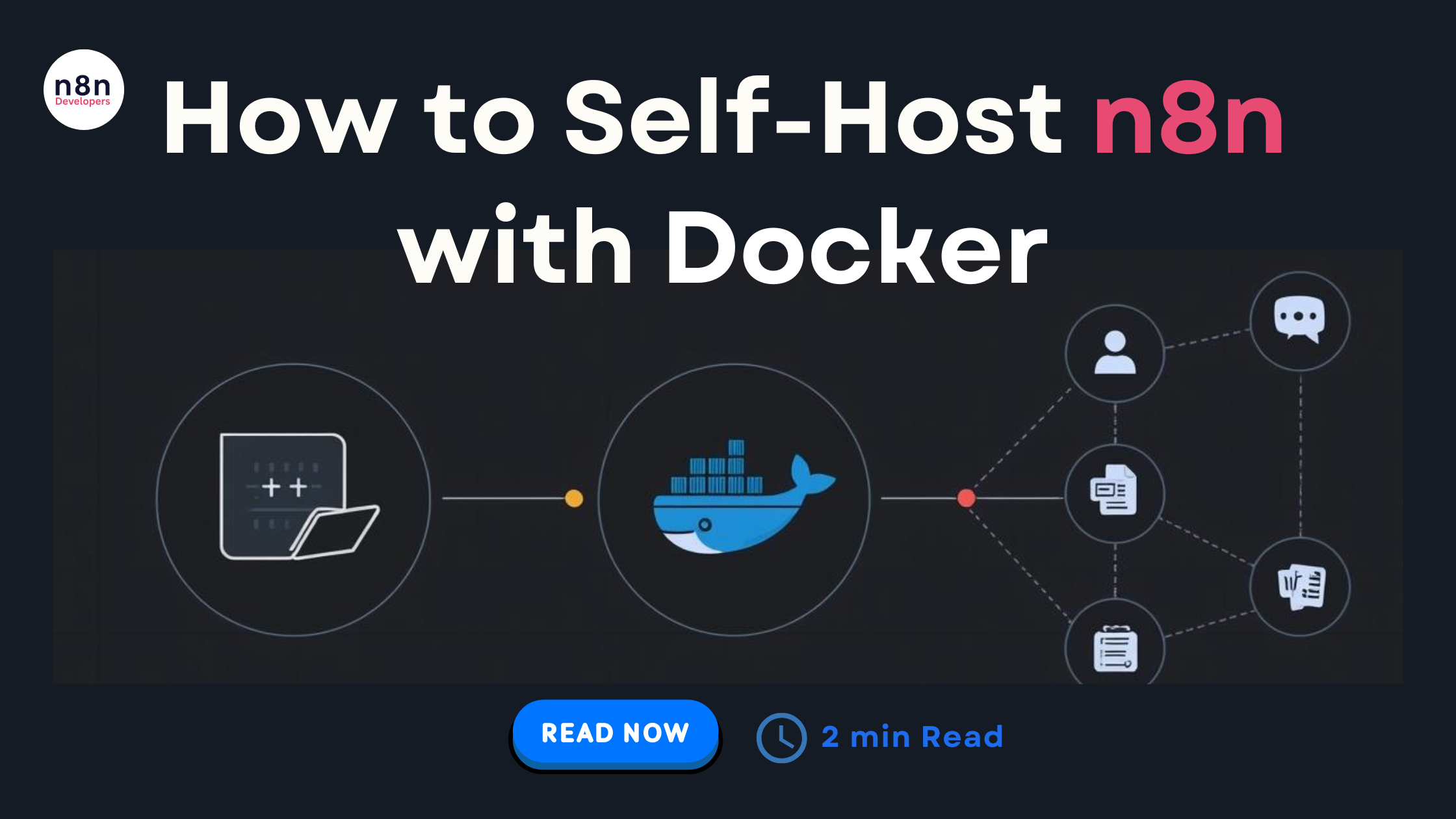
    How to Self-Host n8n with Docker: The Complete 2026 Guide

    If you’re planning to automate workflows efficiently in 2026, one of the best decisions you can make is to Self-Host n8n with Docker. n8n has become a go-to automation and workflow orchestration platform for developers, SaaS owners, agencies, and tech teams. And thanks to Docker, running it on your own server is now easier, faster, and more secure than ever.

    This in-depth 2026 guide will walk you through everything: installing Docker, running n8n, configuring environment variables, securing your setup, enabling backups, scaling, connecting databases, and long-term maintenance best practices. Whether you’re hosting on a VPS, cloud provider, or bare-metal server, this guide will help you launch a stable, production-ready n8n instance.

    Why Self-Host n8n in 2026?

    While n8n.cloud is great for quick setups, self-hosting offers major advantages:

    • Full data control & privacy
    • Unlimited workflows
    • Scalable infrastructure
    • Lower long-term operational cost
    • Ability to customize and integrate deeply
    • Freedom to use your own database and storage

    And best of all — Docker makes everything portable, consistent, and easy to manage.

    1. Prerequisites Before You Self-Host n8n with Docker

    Before deploying, make sure your system is ready:

    ✔ Server Requirements

    • Minimum 2 GB RAM
    • At least 1 CPU
    • 10 GB storage (more recommended for execution logs)

    ✔ Install Required Packages

    • Make sure your OS is updated:

    sudo apt update && sudo apt upgrade -y

    • Install Docker:

    curl -fsSL https://get.docker.com | sudo sh

    • Install Docker Compose:

    sudo apt install docker-compose -y

    • After installation:

    docker –version

    docker-compose –version

    If both commands return versions, you’re good to go.

    1. Creating Your n8n Docker Project
    • Create a directory:

    mkdir n8n-docker

    cd n8n-docker

    Now create your docker-compose.yml file.

    1. The Best 2026 docker-compose.yml for n8n
    • Here is the most stable and updated configuration for production in 2026:

    version: ‘3.8’

    services:

    n8n:

    image: n8nio/n8n:latest

    restart: always

    ports:

    • “5678:5678”

    environment:

    • N8N_HOST=your-domain.com
    • N8N_PORT=5678
    • N8N_PROTOCOL=https
    • GENERIC_TIMEZONE=Asia/Kolkata
    • DB_TYPE=postgresdb
    • DB_POSTGRESDB_HOST=postgres
    • DB_POSTGRESDB_PORT=5432
    • DB_POSTGRESDB_USER=n8n
    • DB_POSTGRESDB_PASSWORD=password123
    • DB_POSTGRESDB_DATABASE=n8n
    • NODE_ENV=production

    volumes:

    • n8n_data:/home/node/.n8n

    postgres:

    image: postgres:15

    restart: always

    environment:

    • POSTGRES_USER=n8n
    • POSTGRES_PASSWORD=password123
    • POSTGRES_DB=n8n

    volumes:

    • postgres_data:/var/lib/postgresql/data

    volumes:

    n8n_data:

    postgres_data:

    1. Start n8n with Docker
    • Run this command inside your directory:

    docker-compose up -d

    • Now open your browser:

    http://your-server-ip:5678

    Congratulations! You officially Self-Host n8n with Docker successfully.

    1. Configuring Important n8n Environment Variables (2026 Best Practices)

    To make your setup scalable and production-safe, the following variables are recommended:

    • Security

    N8N_BASIC_AUTH_ACTIVE=true

    N8N_BASIC_AUTH_USER=admin

    N8N_BASIC_AUTH_PASSWORD=yourStrongPassword

    • Workflow Execution History

    EXECUTIONS_DATA_SAVE_ON_SUCCESS=none

    EXECUTIONS_DATA_SAVE_ON_ERROR=all

    • Webhook URL Settings

    WEBHOOK_URL=https://your-domain.com/

    1. Setting Up SSL (HTTPS) for n8n

    Use Nginx Proxy Manager or Caddy for automatic SSL.

    ✔ Option 1: Caddy (Best for 2026)

    Create Caddyfile:

    your-domain.com {

    reverse_proxy localhost:5678

    }

    Caddy fetches SSL certificates automatically.

    1. Connecting n8n to External Storage (Optional)
    • Amazon S3 / Minio (recommended for large automation setups)

    EXECUTIONS_MODE=queue

    EXECUTIONS_DATA_PRUNE=true

    1. Setting Up Backups for n8n

    Use Docker volumes for persistent storage:

    • Backup n8n:

    docker run –rm -v n8n_data:/data -v $(pwd):/backup alpine tar czvf /backup/n8n_backup.tar.gz /data

    Backup PostgreSQL:

    docker exec -t postgres pg_dumpall -c -U n8n > postgres_backup.sql

    1. Scaling n8n in 2026

    For large workflows:

    • Enable queue mode:

    EXECUTIONS_MODE=queue

    • Deploy Redis:

    redis:

    image: redis:7

    Then add worker containers to scale horizontally.

    1. Keeping Your n8n Updated in 2026

    Update n8n safely:

    docker-compose pull

    docker-compose down

    docker-compose up -d

    Updates usually take 30 seconds.

    1. Common Issues & Fixes
    • n8n not starting
    • Check logs:

    docker logs n8n

    Database connection issues

    Ensure PostgreSQL container is running:

    docker ps

    SSL problems

    • Confirm DNS is pointing correctly
    • Restart proxy service
    1. Best Practices for Self-Hosting n8n in 2026
    • Always run n8n behind a reverse proxy
    • Use PostgreSQL (never SQLite for production)
    • Enable basic auth
    • Use strong passwords
    • Set up regular backups
    • Keep server updated
    • Run n8n in queue mode for heavy workflows
    • Use domain instead of IP

    If you’re planning to build professional-grade automation workflows, deploying n8n on your own server is one of the smartest moves you can make — and choosing to Self-Host n8n with Docker ensures a secure, scalable, and high-performance environment. With Docker, the setup becomes predictable and portable, allowing you to manage updates, configurations, and scaling with ease.

    By following this complete 2026 guide, you now have everything you need to install, configure, optimize, and maintain your self-hosted n8n instance like a professional DevOps engineer. Whether you’re building automation for your business, SaaS platform, agency, or internal teams, this setup will easily support thousands of workflows and integrations reliably.

  • Best Platforms to Hire N8N Developers Online

    Best Platforms to Hire N8N Developers Online

    Best Platforms to Hire N8N Developers Online

    If you’re planning to automate your business workflows, integrate multiple apps, or build smart processes using n8n, you need the right talent to bring everything together smoothly. That’s why many businesses search for the Hire N8N Developers keyword—because hiring skilled automation experts is one of the fastest ways to boost productivity without increasing manual workload.

    Today, there are several trustworthy platforms where you can hire certified, experienced, and project-ready N8N developers. Whether you’re a startup that needs simple workflow automation or an enterprise looking to build a custom automation ecosystem, the right hiring platform can save you time, money, and stress.

    This complete guide will walk you through the best places to hire N8N developers online, along with their advantages, unique features, and tips to choose the perfect automation talent for your business.

    Why Businesses Are Searching for “Best Platforms to Hire N8N Developers Online”

    Before exploring the platforms, let’s understand why hiring N8N developers is becoming a top priority for companies:

    Automation saves time

    Automating repetitive tasks—emails, CRM updates, lead capturing, backend operations—helps teams stay productive.

    Cost-effective compared to full-time hiring

    You can hire project-based N8N developers and avoid long-term employee costs.

    Integrations made easy

    N8N supports 450+ integrations, and a skilled developer can connect your apps effortlessly.

    Scalable automation

    Businesses can start small and expand their automation as they grow.

    Custom workflows

    Developers build tailored workflows based on your internal processes, ensuring accuracy and efficiency.

    Best Platforms to Hire N8N Developers Online

    Here are the top platforms you can trust when you want to Hire N8N Developers who understand automation, integrations, and workflow optimization.

    1. N8NDeveloper.com (Highly Recommended Platform)

    One of the most reliable platforms that focuses only on N8N development and automation services. Since the website is fully dedicated to N8N-based projects, you can easily find specialists for integration, workflow creation, automation architecture, and API-based custom workflows.

    Why Choose This Platform?

    • 100% specialized N8N developers
    • Fast project matching
    • Affordable and transparent pricing
    • Expertise in API, third-party integrations & advanced automation
    • Dedicated support for complex N8N setups

    Best For:

    Businesses that want verified experts instead of general freelancers.

    1. Upwork

    Upwork is one of the largest global freelance marketplaces, where several experienced N8N developers offer hourly or fixed-price services.

    Why Upwork Works Well

    • A wide pool of freelancers from beginner to expert level
    • Flexible pricing
    • Review-based hiring
    • Ability to browse portfolios, previous automation work, and client ratings

    Best For:

    Small to medium-sized companies that want control over freelancer selection and budget.

    2. Fiverr

    Fiverr is great when you want quick, package-based automation services. Many N8N developers on Fiverr offer ready-to-buy services such as:

    • Workflow setup
    • API integration
    • Chatbot & CRM automation
    • Lead management workflows

    Why Fiverr Is a Good Choice

    • Perfect for small tasks
    • Quick delivery options
    • Pre-defined pricing packages
    • Easy-to-use interface

    Best For:

    Businesses that need small N8N tasks completed fast.

    3. Toptal

    Toptal is known for offering the top 3% of global tech talent. If you need a highly experienced N8N developer, architect, or automation engineer, Toptal is a premium platform.

    Why Toptal Stands Out

    • Strict talent screening
    • High-level developers
    • Ideal for enterprise automation setups
    • Seamless project matching

    Best For:

    Enterprises and high-budget companies that want complex automation systems.

    4. GitHub & Open Source Communities

    Many N8N experts actively contribute to GitHub and community groups. You can reach out to contributors, workflow creators, or integration builders who already know the N8N ecosystem deeply.

    Benefits

    • Developers with real-world experience
    • Great for long-term collaboration
    • Get help from people who understand N8N internally

    Best For:

    Technical teams and startups looking for passionate N8N contributors.

    5. LinkedIn

    LinkedIn is a powerful place to find experienced Hire N8N Developers who have worked with automation, workflow tools, and custom integrations. You can check their professional background, certifications, and previous projects.

    Why LinkedIn Works

    • Verified professional identity
    • Direct communication
    • Ideal for hiring full-time or long-term developers
    • Ability to post job openings for N8N-specific skills

    Best For:

    Companies building automation teams or hiring long-term developers.

    Factors to Consider Before Hiring N8N Developers

    Finding the right developer makes a huge difference in your automation success. Keep these factors in mind:

    1. Experience in automation tools

    Prefer developers who have worked on multiple automation platforms (Zapier, Make, Pabbly).

    2. API knowledge

    Since N8N heavily relies on APIs, the developer must understand authentication, endpoints, and JSON structures.

    3. Previous workflow portfolio

    Ask for past workflow samples.

    4. Problem-solving skills

    Automation is not just connecting apps—it’s designing a smart system.

    5. Pricing & availability

    Choose developers who fit your timeline and budget.

    6. Communication

    Clear communication avoids workflow errors and saves time.

    Tips to Successfully Hire N8N Developers

    Here are helpful tips that guarantee a smooth hiring experience:

    • Define your project scope clearly
    • Mention applications that need integration
    • Share workflow diagrams or processes
    • Decide whether you prefer hourly or fixed project rates
    • Ask for a test task if needed
    • Check the developer’s automation logic & coding background
    • Request documentation for workflows

    Hiring the right automation expert can transform your operations. Platforms like Hire N8N Developers, Upwork, Fiverr, and Toptal provide access to talented developers who can help you unlock the full power of N8N.

    Whether you need small workflow fixes or a full automation system, these platforms make it easy to find specialists who understand your business needs.

    If scaling automation is your next step, start exploring these trusted platforms and choose the one that best matches your project goals.

    Frequently Asked Questions (FAQs)

  • Meet the Automation Girl: How Fortune Ibor Turns Everyday Chaos into Smart n8n systems

    Meet the Automation Girl: How Fortune Ibor Turns Everyday Chaos into Smart n8n systems

    Meet the Developer

    Today, we’re featuring Fortune Ibor, widely known as “The Automation Girl”,  a workflow engineer who transforms messy, repetitive tasks into clean, intelligent automation systems.

    Based in Nigeria, she builds digital assistants, custom AI tools, and streamlined operations for founders, creators, and small business owners. Fortunate is passionate about showing people that automation isn’t complicated, it’s simply the smarter way to work.

     The Problem That Sparked It All

    “Fortunate’s journey into automation began during a period when she was juggling multiple responsibilities — managing clients, organizing tasks, and responding to endless emails manually. The workload kept expanding, but the hours in her day did not.

    Instead of burning out, she leaned into curiosity, discovered n8n, and realized she could replace stress with structure. That moment became the starting point of her automation career.”

    Top 5 Workflows Built by Fortune Ibor

    1. Website AI Chatbot With Vector Embeddings

    A custom-trained chatbot that reads PDF documents using vector embeddings and answers website visitors’ questions accurately and instantly. Gives businesses 24/7 support while reducing human workload.

    2. Smart Personal Assistant for Telegram

    A fully automated personal assistant that lives inside Telegram. It manages Gmail, Google Calendar, tags, client contacts, reminders, notes, and routine tasks  all through simple chat commands.

    It Gives business owners an admin partner they can message anytime, reducing manual work and improving daily efficiency.

    3. Lead Qualification System

    Lead Qualification System Captures leads from forms, social media, and landing pages, scores them automatically, and sends qualified prospects straight to WhatsApp or email. Improves response speed and increases sales readiness.

    4. Smart Resume Analyzer

    Smart Résumé Analyzer Uses AI to process CVs, extract skills, categorize candidates, and send organized summaries to HR teams or recruiters. Removes the burden of manual CV review and speeds up hiring decisions.

    5. Email Classification & Routing Bot

    Email Classification & Routing Bot Automatically reads, sorts, and routes emails into categories like support, billing, inquiries, or tasks, and sends them to the right person or workflow. Keeps inboxes organized and dramatically improves response time.

    Impact Beyond Workflows

    For Fortunate, automation represents freedom,  the freedom to grow, to focus, and to create without being buried under repetitive tasks.

    Learning to automate didn’t just improve how she works; it reshaped her entire perspective on productivity. She now sees every problem as an opportunity to build a smarter system, and nothing excites her more than watching clients experience their first ‘Wow, automation did that?’ moment.

    Ready to work with Fortunate? Book a call through n8ndevelopers!

  • How to Hire the Right n8n Developer for Your Business

    How to Hire the Right n8n Developer for Your Business

    Automation is transforming how businesses operate, and n8n — a powerful open-source workflow automation tool — is at the heart of this transformation. With its flexibility to connect multiple apps and APIs, n8n enables businesses to automate repetitive tasks, streamline data flows, and save countless hours of manual work.

    However, to make the most of n8n’s potential, you need the right n8n developer — someone who understands automation logic, API integrations, and your business goals.

    In this guide, we’ll explain everything you need to know about hiring the right n8n developer for your business.

    What Is n8n?

    n8n (pronounced “n-eight-n”) is an open-source workflow automation platform that allows you to connect different applications, APIs, and databases without extensive coding. It’s like having your own custom-built automation engine.

    Key Features:

    • Visual workflow builder
    • Supports over 400+ integrations
    • Self-hosting capability
    • Custom node creation with JavaScript
    • Open-source flexibility

    Businesses use n8n to automate email marketing, CRM updates, data sync between platforms, lead management, reporting, and much more.

    Why Hiring an n8n Developer Matters

    While n8n offers a visual interface, creating advanced workflows requires technical skill — especially when connecting APIs, managing authentication, or setting up error handling.

    A skilled n8n developer ensures:

    • Reliable and optimized workflow automation
    • Secure integration with third-party tools
    • Scalability for future business growth
    • Reduced downtime and errors

    Simply put, a professional n8n developer helps your business move from basic automation to intelligent automation.

    Evaluate Their Technical Expertise

    Ask for:

    • Portfolio of previous n8n projects
    • GitHub or GitLab repositories
    • Knowledge of related tools like Zapier, Make (Integromat), or Node.js

    To hire the right n8n developer, clearly define your project requirements, assess candidates’ technical and communication skills through interviews, and check their portfolio for relevant experience with APIs and JavaScript.

    A practical test (e.g., creating a sample workflow) can also reveal real skill levels.

    Essential Skills to Look for in an n8n Developer

    Skill AreaDescription
    JavaScript Knowledgen8n uses JavaScript for custom nodes and function nodes. A strong grasp of JS is essential.
    API Integration ExperienceMust understand REST, GraphQL, and SOAP APIs for connecting apps.
    Workflow DesignAbility to visualize and implement complex automation flows.
    Database HandlingFamiliarity with MySQL, PostgreSQL, or MongoDB is a plus.
    Security & AuthenticationUnderstanding OAuth2, API keys, and data security best practices.
    Problem-Solving MindsetCapable of debugging workflows and optimizing performance.
    DevOps / Cloud KnowledgeUseful for deploying n8n on AWS, Docker, or DigitalOcean.

    Steps to Hire the Right n8n Developer

    1. Define Your Automation Goals

    Start by identifying what you want to automate. It could be:

    • Marketing email workflows
    • Customer onboarding
    • CRM and ERP data sync
    • E-commerce order notifications

    Clearly defining the goals helps you find a developer who understands your business use case.

    2. Choose Between Freelancer vs. Agency

    • Freelancer: Cost-effective for small projects or quick automations.
    • Agency or Full-time Developer: Ideal for long-term automation strategies or enterprise-level workflows.

    If your automation needs are continuous, hiring a dedicated n8n developer or partnering with an automation agency is a better choice.

    3. Evaluate Their Technical Expertise

    Ask for:

    • Portfolio of previous n8n projects
    • GitHub or GitLab repositories
    • Knowledge of related tools like Zapier, Make (Integromat), or Node.js

    A practical test (e.g., creating a sample workflow) can also reveal real skill levels.

    4. Assess Communication and Collaboration Skills

    Automation projects often evolve. Your developer must understand your requirements clearly and maintain communication throughout the process.

    Look for responsiveness, clarity, and willingness to document workflows.

    5. Discuss Deployment and Maintenance

    n8n can be self-hosted or cloud-based. Discuss deployment preferences — especially if your company has data privacy or compliance requirements.

    Also, ensure that the developer offers:

    • Regular monitoring
    • Backup setup
    • Workflow version control

    6. Consider Budget and Timeline

    Costs vary based on complexity and developer experience.

    Type of DeveloperHourly Rate (Approx.)Ideal For
    Beginner / Junior$15 – $30Small automations or learning projects
    Mid-Level$30 – $60Medium workflows, CRM integrations
    Expert / Senior$60 – $100+Complex enterprise automations

    Choose quality over cost — a well-built workflow saves more in the long run.

    7. Verify Post-Development Support

    Your automation needs won’t end after deployment. Choose a developer who offers maintenance, bug fixes, and updates as part of their service agreement.

    Red Flags to Avoid

    • Overpromising results without understanding requirements.
    • No portfolio or live demo of previous n8n workflows.
    • Lack of documentation or testing.
    • Ignoring scalability or data security.

    A trustworthy n8n developer always focuses on performance, reliability, and clarity.

    Benefits of Hiring a Professional n8n Developer

    1. Save Time: Automate repetitive tasks effortlessly.
    2. Reduce Errors: Fewer manual steps mean fewer mistakes.
    3. Boost Productivity: Teams can focus on core tasks.
    4. Enhance Data Flow: Seamless integration between platforms.
    5. Future-Proof Your System: Scalable workflows for growing business needs.

    Hiring the right n8n developer can supercharge your business automation. Whether you want to sync leads between CRM tools, automate emails, or build custom data pipelines, a skilled professional ensures smooth and scalable implementation.

    By following the steps above — from defining your goals to evaluating technical and communication skills — you’ll be well on your way to choosing the perfect n8n developer who can take your automation to the next level.

  • What to Look for When You Hire N8N Developers

    What to Look for When You Hire N8N Developers

    Hiring the right automation expert can completely transform how your business operates, especially when it comes to workflow automation using N8N. As more companies shift toward no-code and low-code automation platforms, N8N has become a leading choice thanks to its flexibility, open-source environment, and ability to create complex workflows without heavy development work.

    But to get real value from N8N, you need the right specialist. And that starts with knowing exactly what to look for when you hire N8N developers.

    In this detailed guide, we’ll walk you through the key skills, qualities, and considerations that matter most when choosing the perfect N8N expert for your business.

    Whether you’re a startup automating basic tasks or an enterprise building advanced workflows, these insights will help you make the right decision with confidence.

    1. Strong Understanding of N8N Architecture and Workflow Logic

    Before anything else, the developer you hire must have a deep understanding of how N8N works. This goes beyond simply dragging and dropping nodes. A skilled N8N expert understands:

    • How workflows are triggered
    • Node relationships and dependencies
    • Data mapping and transformations
    • Error handling and fallback paths
    • Performance optimization of workflows

    A basic user can build simple automations, but a true N8N developer can turn your processes into smooth, stable, scalable systems.

    2. Experience With API Integrations

    Because N8N is heavily driven by API connections, your chosen developer must be experienced with:

    • REST APIs
    • OAuth authentication
    • Webhooks
    • JSON structures
    • Third-party API rate limits
    • API token management

    A professional N8N developer should be able to build:

    • Custom API connections
    • Multi-step API workflows
    • Cross-platform automation
    • Bi-directional data syncs

    When you hire N8N developers, make sure they can integrate your tools, CRM, website, ERP, and cloud apps without breaking workflows.

    3. Ability to Build Custom N8N Nodes

    Sometimes N8N’s built-in nodes are not enough. If your business requires custom solutions, you need developers who can build custom nodes using JavaScript or TypeScript.

    This is especially important when:

    • Your tools don’t have existing N8N integrations
    • You want specialized functions
    • You need advanced data processing
    • Your workflows require custom logic

    A developer who can create new nodes gives your business unlimited flexibility.

    4. Strong JavaScript / TypeScript Knowledge

    Even though N8N is a low-code tool, strong coding skills are still critical. A professional N8N developer must know:

    • JavaScript functions
    • Asynchronous processes
    • Promises and callbacks
    • Error handling
    • Node.js fundamentals

    This helps them build:

    • Custom functions in Function Nodes
    • Complex logic calculations
    • Custom integration nodes
    • Secure and optimized scripts

    Without this skill, workflows can become fragile or unscalable.

    5. Database Knowledge and Scaling Skills

    N8N automations often pull and push data across multiple databases. That’s why your developer should understand:

    • SQL
    • MongoDB
    • PostgreSQL
    • Data schema mapping
    • Data validation
    • Error-proof data movement

    Automation workflows fail when data handling is weak, so ensure your N8N developer knows how to manage data reliably and securely.

    6. Knowledge of Self-Hosted N8N Setup

    Many businesses prefer self-hosting N8N for:

    • Better data control
    • Improved security
    • Cost efficiency
    • Unlimited workflow scaling

    Your developer should know how to install and configure N8N on:

    • VPS servers
    • Docker containers
    • Cloud providers (AWS, GCP, DigitalOcean)
    • Custom environments

    Also ensure they can manage:

    • Server security hardening
    • Environment variables
    • Backup setups
    • Logging and monitoring

    Self-hosting expertise is a massive advantage.

    7. Ability to Optimize Workflow Efficiency

    A workflow that works is good.

    A workflow that works efficiently is GREAT.

    Professional N8N developers know how to:

    • Reduce node usage
    • Minimize redundant steps
    • Improve API speeds
    • Prevent loops and workflow overload
    • Ensure fail-safe execution

    This directly impacts automation reliability, server load, and execution speed.

    8. Experience With Business Process Automation (BPA)

    Technical skills are important, but business understanding is equally crucial.

    Your developer should understand:

    • Business operations
    • Automation opportunities
    • CRM and sales pipelines
    • ERP processes
    • Marketing workflows
    • HR and finance automation

    When you hire N8N developers, look for experts who can map your business processes and convert them into automation that saves time and money.

    9. Security and Compliance Knowledge

    Automation often handles sensitive data.

    Your developer must follow:

    • Secure API key management
    • Encryption practices
    • Authentication protocols
    • GDPR compliance
    • Server security rules

    An N8N expert who understands security reduces risks and ensures your workflows are safe.

    10. Problem-Solving Skills and Creative Thinking

    Building automation isn’t always straightforward.

    A great N8N developer will:

    • Think creatively
    • Troubleshoot effectively
    • Suggest better automation ideas
    • Fix workflow bottlenecks
    • Improve existing systems

    This mindset is crucial for long-term workflow success.

    11. Portfolio and Real Project Experience

    Always check:

    • Previous N8N projects
    • Case studies
    • Live workflow examples
    • GitHub contributions
    • Client reviews or feedback

    This helps you understand their capabilities and real-world experience.

    12. Communication and Documentation Skills

    A great developer communicates clearly and provides:

    • Easy-to-understand documentation
    • Workflow diagrams
    • Step-by-step instructions
    • Notes for future developers

    This ensures your workflows remain manageable even as your business grows.

    Choosing the right professional when you decide to hire N8N developers can be the difference between simple automations and powerful, scalable, business-transforming workflow systems.

    Look for developers who offer:

    • Technical mastery
    • API expertise
    • Business process knowledge
    • Custom development skills
    • A strong portfolio
    • Strategic thinking

    By following the points in this guide, you’ll be fully prepared to hire an N8N expert who delivers real results and long-term value.

    If you need help, feel free to ask—I can also help you craft hiring descriptions or shortlist the perfect N8N automation experts.

  • How to Hire N8N Developers for Scalable Automation Solutions

    How to Hire N8N Developers for Scalable Automation Solutions

    Automation has become the heartbeat of modern businesses. Whether you are managing operations, marketing, or customer support, automation helps reduce repetitive work and speeds up processes.

    Among today’s most adaptable automation platforms, N8N stands out for its flexibility, scalability, and open-source strength.

    To make the most of it, the smartest decision you can make is to Hire N8N Developers who understand how to turn your business logic into seamless, efficient workflows.

    Why You Need to Hire N8N Developers

    Building automation with N8N may look simple on the surface, but achieving scalability and reliability requires professional expertise. Dedicated N8N developers bring technical precision, performance optimization, and strategic thinking to the table.

    Here’s why hiring them is a game-changer:

    • Platform-Specific Mastery: N8N isn’t just another tool; it combines low-code design with deep technical flexibility. Developers trained in N8N understand how to manage nodes, triggers, credentials, and advanced expressions to deliver results faster.
    • Scalable Workflow Design: As your business grows, so do your automation demands. Skilled N8N professionals know how to architect workflows that can handle high data volume, multiple triggers, and complex integrations without breaking.
    • Error Handling & Maintenance: Professionals know how to create fault-tolerant workflows that recover from failures gracefully, ensuring your automations stay reliable.
    • Integration Expertise: N8N connects hundreds of platforms and APIs. Developers with integration experience can connect your CRMs, databases, and internal tools seamlessly.
    • Time & Cost Efficiency: A professional developer saves you time by implementing best practices from day one, preventing costly rework later.

    Core Skills to Look for When You Hire N8N Developers

    Before starting your hiring process, it’s crucial to understand what skills truly matter in an N8N developer. Look for the following:

    Technical Skills

    • In-Depth N8N Knowledge: Understanding of workflows, triggers, nodes, and the use of expressions for dynamic data handling.
    • Programming Proficiency: Familiarity with JavaScript or TypeScript to write custom code nodes when needed.
    • API & Webhook Experience: Ability to connect applications through REST APIs, handle authentication, and manage real-time data.
    • Data Transformation: Knowledge of JSON, CSV, and other data formats for mapping between services.
    • Deployment & Scaling: Experience with hosting N8N on servers, Docker containers, or cloud infrastructure for performance optimization.

    Soft & Strategic Skills

    • Analytical Thinking: Ability to translate business problems into technical automation logic.
    • Communication Skills: Capable of explaining complex workflows to non-technical stakeholders.
    • Problem Solving: Proactive in identifying bottlenecks and optimizing performance.
    • Documentation: Ability to maintain clear records of workflows for future scaling and updates.

    Steps to Hire N8N Developers Successfully

    Finding the right developer is about more than reviewing resumes — it’s about building a process that ensures the candidate aligns with your business goals.

    1. Define Your Requirements Clearly

    Start by understanding what kind of automation you need. Are you focusing on marketing automation, CRM integration, lead management, or backend data sync? Define project scope, integration needs, and scalability expectations before you begin hiring.

    2. Create a Detailed Job Description

    Mention the required technical expertise, familiarity with N8N workflows, and the ability to handle integrations with multiple platforms. Highlight the role’s purpose — whether it’s to automate internal tasks, connect systems, or build scalable automation frameworks.

    3. Choose the Right Hiring Model

    Depending on your needs, you can:

    • Hire full-time developers if automation is a core part of your operations.
    • Hire freelancers or contract developers for short-term projects.
    • Partner with an N8N development agency if you want an entire team to handle automation setup and maintenance.

    4. Conduct Technical Assessments

    Ask candidates to build or explain an automation use-case. For example, “Create a workflow that captures a lead from a form, updates a CRM, and sends an email notification.” Their ability to execute this quickly and efficiently will show real-world experience.

    5. Evaluate Soft Skills

    Since automation touches many parts of the organization, good communication and collaboration are essential. Choose developers who can coordinate with your marketing, sales, and operations teams smoothly.

    6. Check Portfolio or Case Studies

    Review previous automation projects they’ve built. Look for projects involving complex workflows, multi-platform integrations, or high-volume data processing. This shows their ability to handle scale and reliability.

    7. Onboard and Train Effectively

    Once hired, provide access to your internal tools, API documentation, and existing workflows. Set up clear goals and KPIs such as reduced manual tasks, improved process time, and workflow uptime.

    Best Practices for Working with N8N Developers

    To ensure your automation journey runs smoothly, follow these best practices after hiring:

    • Document Workflows Properly: Maintain structured documentation for every workflow.
    • Implement Version Control: Use repositories to track workflow updates and prevent errors.
    • Monitor & Optimize: Set up error alerts and performance dashboards to keep your workflows healthy.
    • Secure Credentials: Use N8N’s built-in encryption and follow best practices for handling sensitive information.
    • Encourage Reusable Components: Ask developers to build modular workflows that can be reused across projects.

    How to Ensure Scalable Automation

    Scalability is what separates basic automation from enterprise-grade systems. When you Hire N8N Developers, make sure they understand these scaling principles:

    1. Use Queue Mode: For workflows handling large data sets, queue mode ensures that processes run efficiently without overload.
    2. Split Large Workflows: Instead of one massive workflow, break tasks into smaller, independent processes for easier management.
    3. Load Balancing: If you run multiple instances of N8N, balancing workflows across them improves performance.
    4. Monitoring and Alerts: Implement system health checks, uptime monitoring, and workflow alerts to catch issues early.
    5. Regular Maintenance: Automations evolve. Regularly review and update workflows as APIs, apps, or business rules change.

    Advantages of Hiring Experienced N8N Developers

    When you invest in experts instead of generalists, you gain long-term benefits:

    • Faster Development: Developers familiar with N8N’s ecosystem deliver solutions faster.
    • Reduced Downtime: Properly designed workflows minimize disruptions and errors.
    • Custom Integrations: Connect tools that aren’t available as pre-built nodes using custom APIs.
    • Better ROI: Each automation delivers measurable time and cost savings.